In brief
Ordinary integration clearance precedes customer sharing and simplified reporting is within twenty-four hours of generation. ZATCA’s failure examples, technical rejection FAQs and incident notification rules require specific facts and procedures.
For taxpayers in the applicable Saudi e-invoicing integration phase, standard invoices follow clearance before customer sharing, while simplified invoices are reported within twenty-four hours of generation. Those are the ordinary workflows. Rejections, loss of connectivity and a ZATCA system outage require their specific procedures rather than one generic retry rule.
First establish the permitted invoice type and the taxpayer’s actual integration obligations. The general phased programme’s start date does not mean every taxpayer entered integration on the same date. The invoice-type comparison explains the legal classification, including low-value and customer-status qualifications.
The ordinary clearance and reporting distinction
| Point | Standard invoice and related notes | Simplified invoice and related notes |
|---|---|---|
| Ordinary integration process | Submit for the applicable ZATCA clearance before sharing with the customer. | Generate/share in the permitted form and report within twenty-four hours of generation. |
| Authority transmission | XML under the published resolution. | XML under the published resolution. |
| Customer document | Applicable electronic sharing format, including the required compliant data. | Printed or permitted agreed electronic/human-readable sharing, subject to the relevant rules. |
| Tax treatment | Technical acceptance does not replace correct classification, tax-point and rate analysis. | Successful reporting does not establish every customer’s input entitlement. |
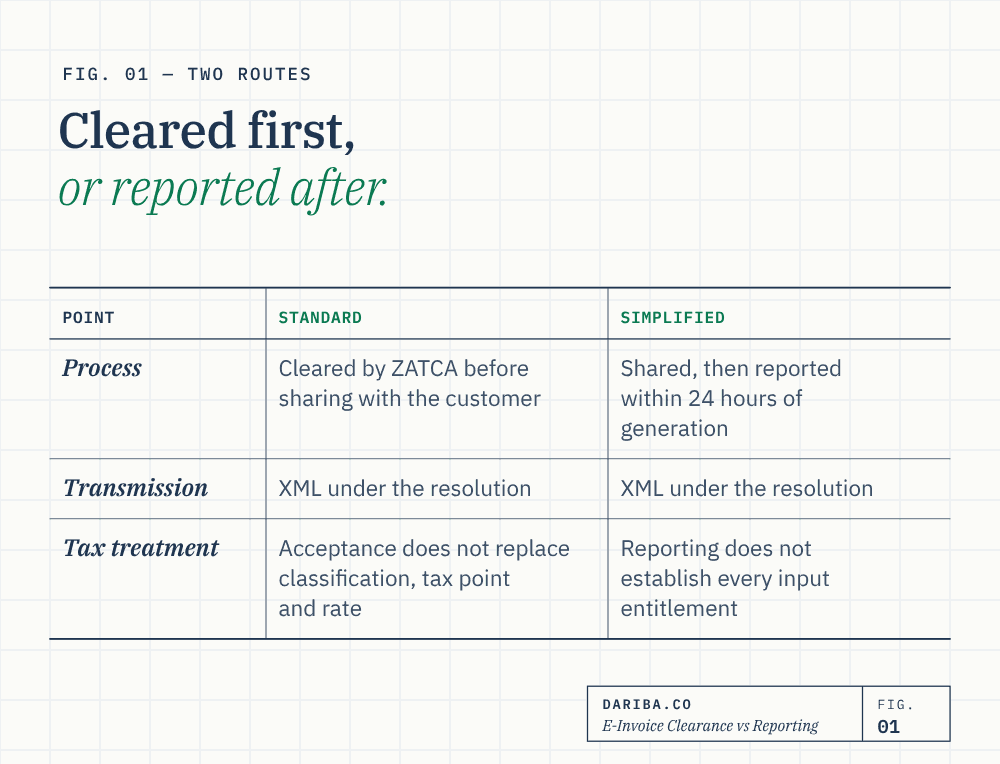
Source: published E-Invoicing Implementation Resolution, clauses Second and Seventh(10), pp. 2–4 and 7. The English text is a translation; Arabic controls. This guide explains the verified framework and identified examples, not a complete software certification or every current technical field specification.
Authority transmission and customer sharing are separate decisions. A PDF/A-3 containing the required XML is different from an ordinary print-to-PDF, and permission to share a customer-readable document does not establish that XML transmission or archival obligations have been fulfilled.
Measure twenty-four hours from generation
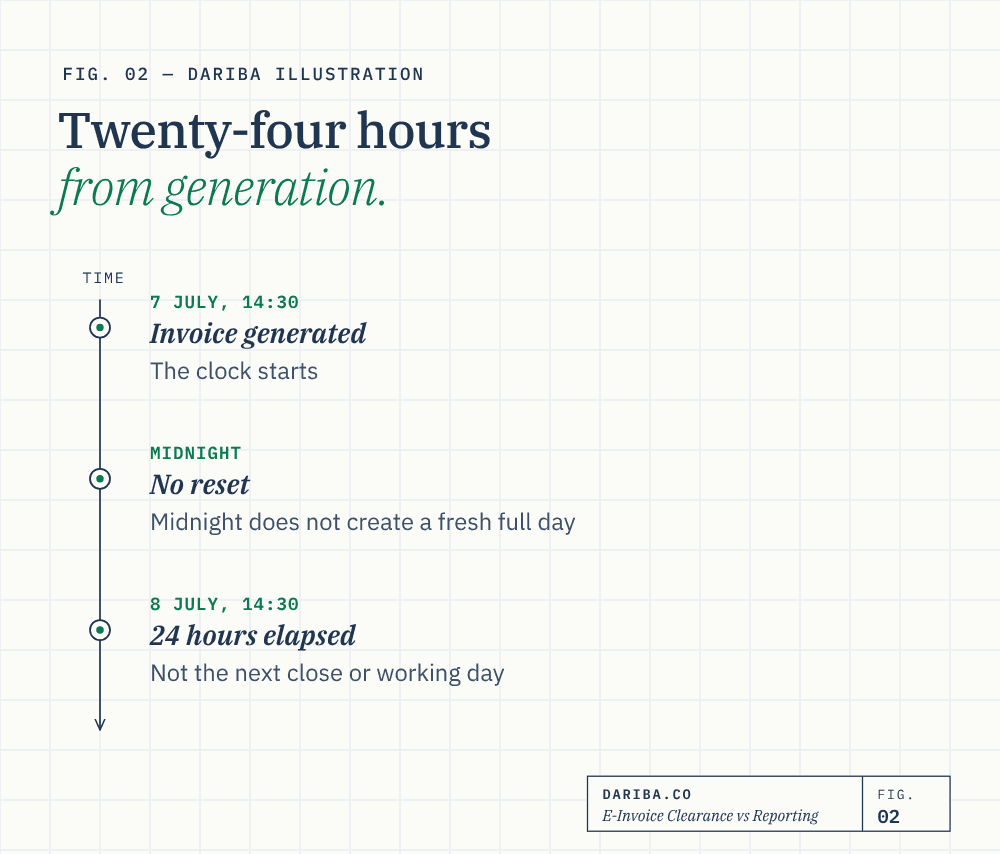
The ordinary simplified reporting period runs from generation, not a later email, the next daily accounting close or the next working day. Dariba illustration: an invoice generated at 14:30 on 7 July reaches twenty-four elapsed hours at 14:30 on 8 July. Midnight does not create a fresh full day. These dates are an original illustration, not a ZATCA outage example.
Monitor unreported documents by their own generation timestamps and confirmed responses. A batch being sent is not necessarily proof that all documents in it were successfully reported. Suggested queues, alerts and logs are practical controls; no claim is made that one retry interval or software design is the only reliable solution for every business.
Distinguish rejection from no response
A rejected document and a submission that received no response are different states. Preserve the response and actual status before deciding whether to retransmit, correct or generate a replacement. Do not classify every warning as rejection or assume a network timeout proves acceptance.
ZATCA’s E-invoicing Detailed Technical Guidelines, version 2, November 2022, FAQ tables, pp. 77–78, describe new identifiers for corrected rejected submissions and base the previous-invoice hash on the immediately preceding document, not necessarily the rejected invoice. The clearance FAQ also addresses updating the date for the replacement of a non-cleared invoice. This is not a blanket permission to defer a statutory tax point already arising from the actual supply or payment. Read the technical FAQ.
The same FAQ distinguishes a reporting response of NOT_REPORTED, for which it describes cancellation through a credit note and a new invoice, from other resubmission explanations. The actual response and applicable current specifications must therefore drive implementation. Do not silently edit issued records, reuse rejected identifiers contrary to the specified procedure, or hard-code a universal “last accepted invoice” or “always the rejected invoice” hash rule from an article summary.
ZATCA’s bank outage example does not prescribe fixed retry timers
In section 10, Detailed Guidelines for E-Invoicing, version 2, May 2023, p. 47, ZATCA illustrates a bank unable to clear standard invoices because ZATCA’s servers are down. The diagram describes retries, temporary sharing of the uncleared invoice with transaction records and confirmed customer contact details, and later sharing of the cleared version once clearance succeeds. Read the official bank scenario.
The diagram’s approximate five-minute and fifteen-minute timings are explicitly marked provisional. They should not be turned into a universal rule that waiting five minutes gives every supplier permission to bypass clearance. Its note also requires the fully compliant invoice immediately after connection is restored. The example addresses temporary ZATCA server issues, not every rejection, local internet failure or urgent customer request.
Dariba’s analysis. Business continuity should be based on the identified failure category and the Authority’s applicable procedure. Confirm the customer can receive the later cleared document, preserve the event and retry evidence, and reconcile temporary documents to the final records. A business continuity process must not create duplicate supplies, duplicate claims or an unexplained gap in the electronic trail.
The lawyer’s connectivity example has different notification facts
The unnumbered B2B connectivity-failure scenario at p. 49 describes a lawyer whose extended local internet outage prevents clearance within the following-month invoice deadline. It includes notifying ZATCA of the problem and its resolution, preserving transaction evidence, clearing when connection returns and supplying the cleared document. Its footnote states that uncleared invoices are not eligible for VAT deduction. Read that scenario.
The bank diagram instead discusses ZATCA knowing its own servers are down and allows notification if the taxpayer is unsure. Those facts should not be collapsed into a blanket “no notification during outages” statement. For generation/integration incidents, clause Seventh(5) of the implementation resolution, p. 7, requires notification through specified means, notification on resolution and prompt generation/integration afterwards, subject to the Authority’s incident procedures.
ZATCA’s failure-notification service provides the official reporting route described in the guidance. This article does not submit a notification or promise that keeping logs alone grants a deadline extension or penalty waiver.
Special responses and a usable reconciliation
The technical guideline’s p. 78 describes a 303 response when ZATCA disables clearance and directs the relevant standard invoices/notes to the reporting API. An explicit Authority-directed switch is different from a supplier deciding unilaterally to report rather than clear. The same page explains that submission order can differ from generation order while preserving generation sequencing and clearance obligations; no general permission to lose that sequence follows.
Keep a reconciliation of generated documents, actual responses, outstanding corrections, incident notifications, final clearance/reporting and customer delivery. Preserve the invoice, notes and electronic evidence under the applicable retention rules. For the separate legal decisions, continue to invoice requirements, credit/debit notes and record keeping.
Key takeaways
- Applicable integration scope and invoice classification come before clearance/reporting workflow selection.
- Twenty-four hours runs from generation; authority transmission, customer sharing and archival are separate.
- A rejection is different from no response. The technical FAQ addresses identifiers, correction states and the immediately preceding document.
- ZATCA’s bank outage diagram marks approximate five/fifteen-minute timers provisional; it does not create an arbitrary universal bypass permission.
- The lawyer connectivity scenario includes incident/resolution notification and later cleared delivery; its footnote excludes uncleared input deduction.
- A 303 clearance-disabled instruction is different from a supplier choosing reporting unilaterally.
- The article identifies retrieved guideline versions and conditions; it does not certify software, individual integration dates or all current specifications.
Sources
- ZATCA - Published E-Invoicing Implementation Resolution, English translationClausesSecond pp2-4;Fifth p6;Seventh p7. Current official legislation page links this resolution. Arabic version prevails.
- ZATCA - Detailed Guidelines for E-Invoicing, version 2, May 2023Section 10 pp45-52: bank server-outage p47 and lawyer connectivity p49; timers explicitly provisional.
- ZATCA - E-invoicing Detailed Technical Guidelines, version 2, November 2022Currently retrieved official document: FAQ pp77-78 on rejections, identifiers, incident notifications and 303. Not certification of every current field specification.
- ZATCA - VAT Implementing Regulations, Arabic tenth edition, April 2025Articles 20 pp21-22;49(7)-(8) p49;53-54 pp55-59;63 pp63-64;66 pp67-69. Controlling Arabic text.
- ZATCA - Tax Invoicing and Records Guideline, version 3, May 2026Section 4.5.2 Examples 9/9-A pp26-27;8.2-8.4 pp40-43;10.4 p49.
General information only. Actual supplies, facts, applicable periods and controlling Arabic legislation determine the result. Official examples are distinguished from Dariba analysis and original illustrations. Seek advice or clarification where the arrangement or source material leaves a specific issue unresolved.